Kering . Luce Places
Led the design of Luce Places, a sales tool for 16,000 associates across six Kering houses, from user research to stakeholder buy-in.
Awake Team
1 designer
1 executive producer
Kering Team
1 product owner
10+ engineers
Impact
50% boost in remote sales
average ticket value for Luce-assisted transactions increased by 15%
My Role
I conducted user interviews with sales associates, collaborated with the team to establish the product concept and design direction, executed on the design, and co-presented the product concept to stakeholders at Kering for buy-in.
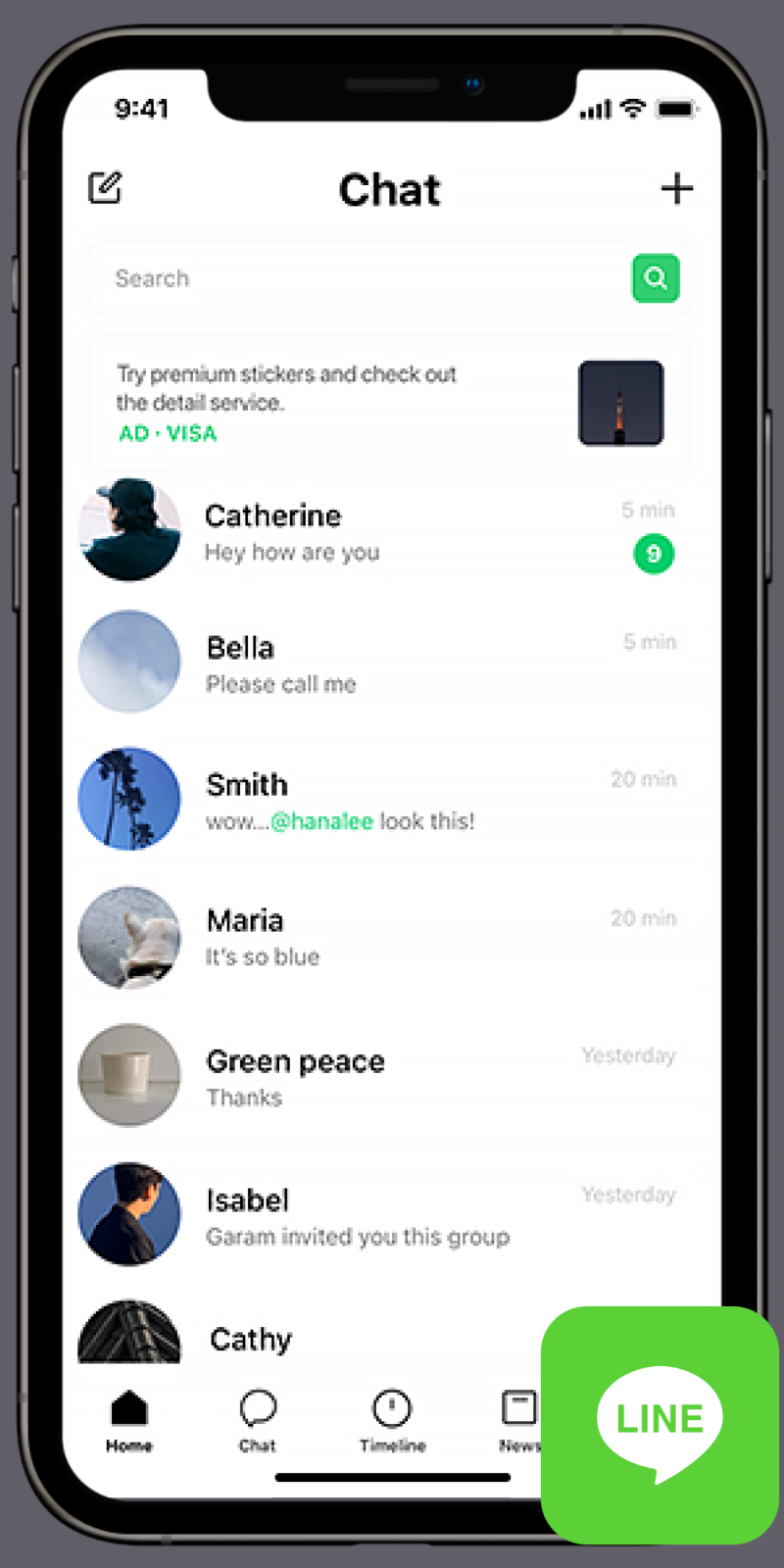
Japanese sales associates communicate with clients via LINE, but a technical issue prevented seamless handoff from Luce Places. When users tapped “Chat” from a client profile or task and selected LINE, they were taken to the LINE landing page instead of the intended conversation with that client.
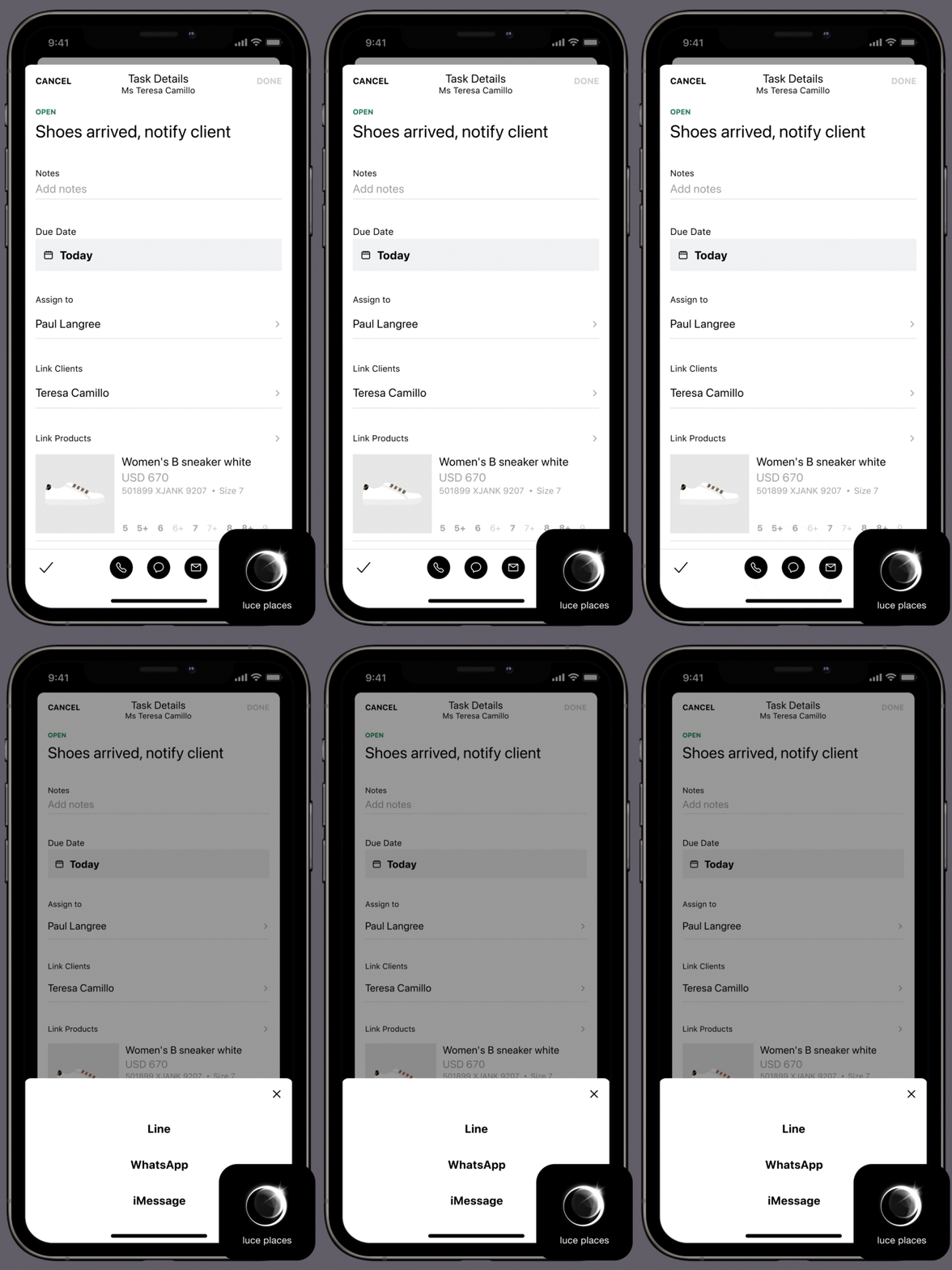
Originally, Kering requested a technical fix, but we saw a broader opportunity. Based on feedback that remote selling is a key workflow for sales associates and face significant friction switching between their chat app and Luce Places, we decided to leverage a Zendesk API to design a remote selling tool that enables sales associates to communicate directly from Luce Places via their preferred channel.
As the project kickoff, the Kering product owner shared consolidated APAC sales feedback, and we spoke with a few sales associates, revealing the following pain points:
Difficult to share products because you need to switch between apps

Hard to find a client’s preferences and purchase history which is essential when recommending pieces

Tedious to look through past messages to take note of what client liked but didn’t buy, so a lot of guest data is lost

Inconvenient to switch between apps to checkout, leading to more drop-off

We also identified the remote selling user journey
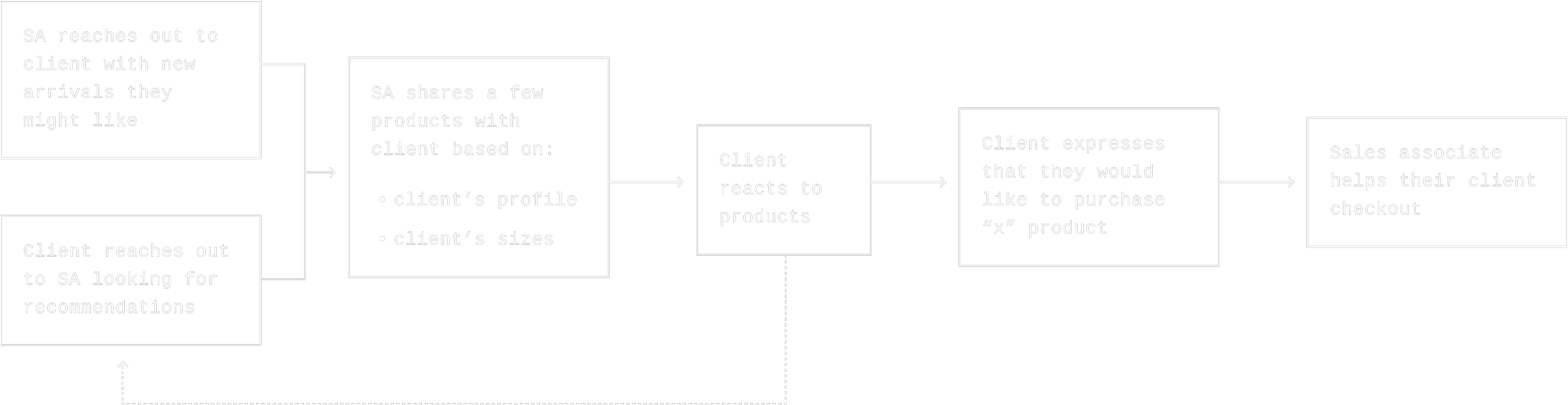
Based on research, we decided that the solution is to build an MVP remote selling feature that enables sales associates to overcome their pain points and ultimately boost remote sales.
Design principles
Provide timely information - Ensure that sales associates have the right information to foster client relationships. Client information should be readily accessible when needed.
Retain essential client data - Ensure that the sales associates can have productive conversations with their clients. Client’s interests expressed in their conversations should be distilled.
A seamless experience - A remote selling exprience that is comparable to the in-store experience. Sales associates should be supported with the right tools to complete the sale.

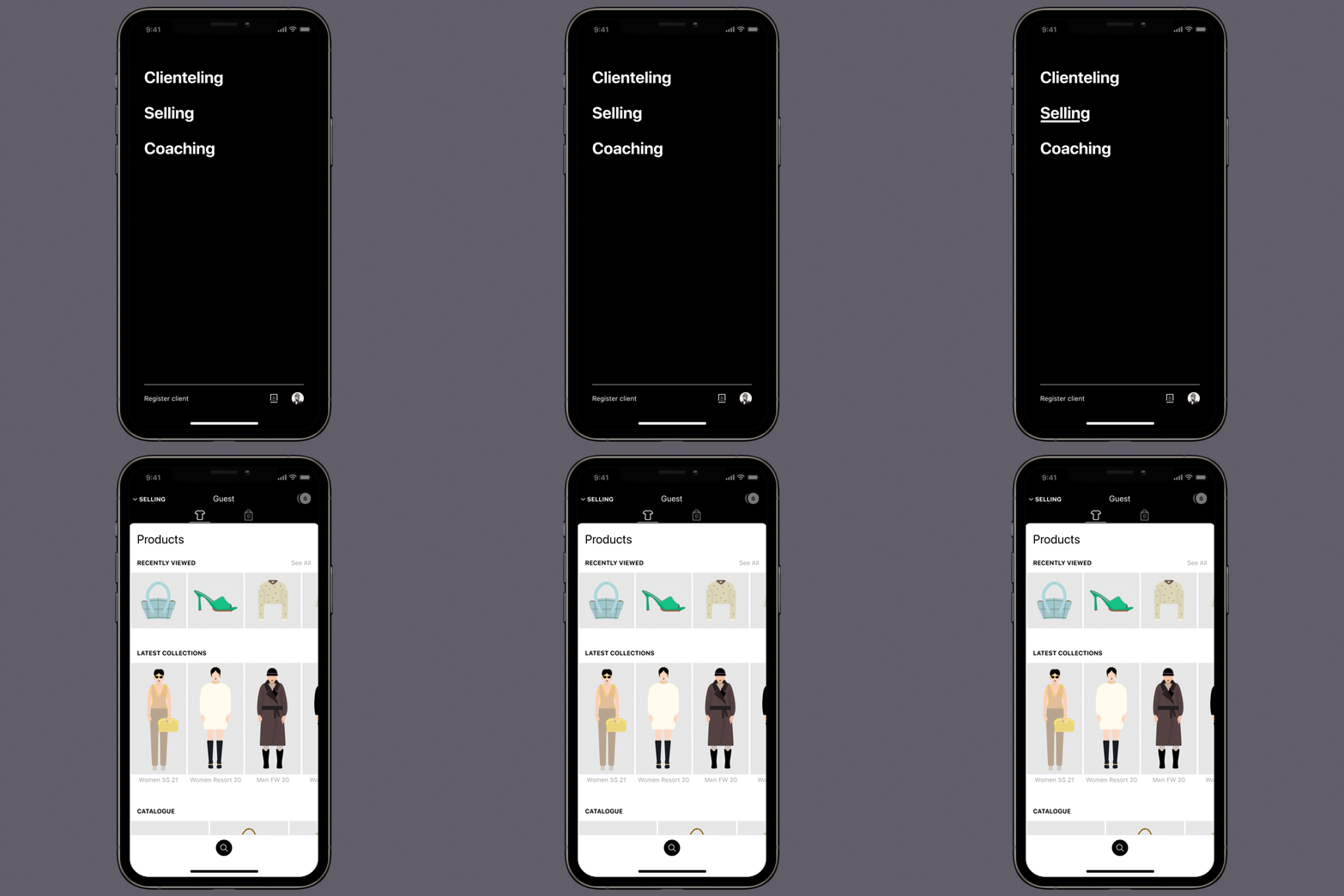
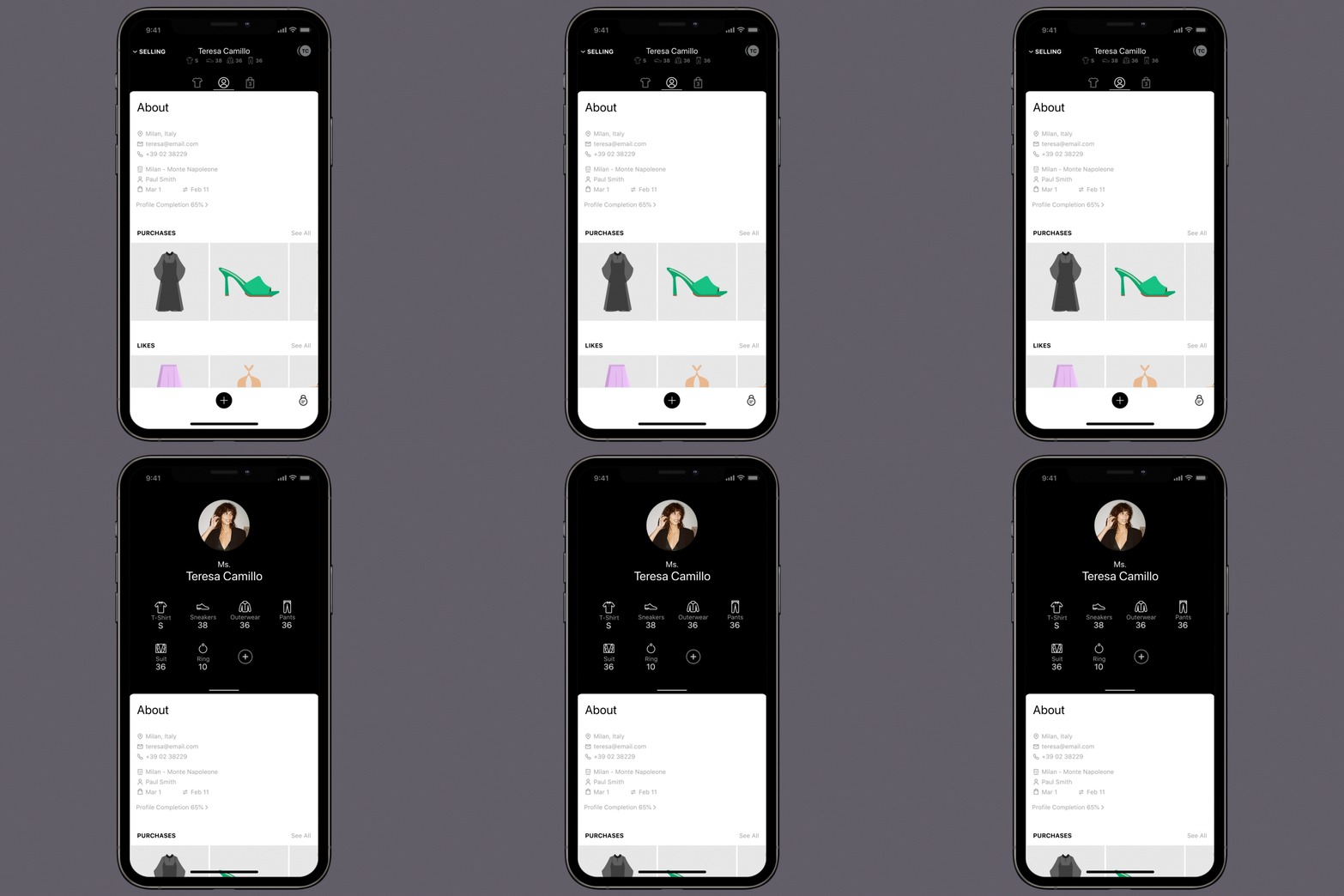
To understand the remote selling tool’s design, it’s important to know Luce Places’ in-store workflow. Luce Places has three areas (Clienteling, Selling, and Coaching) with Selling used by associates during in-person client interactions.
The selling place
In selling, the sales associate works with one client at a time, so the space is customized for each client.
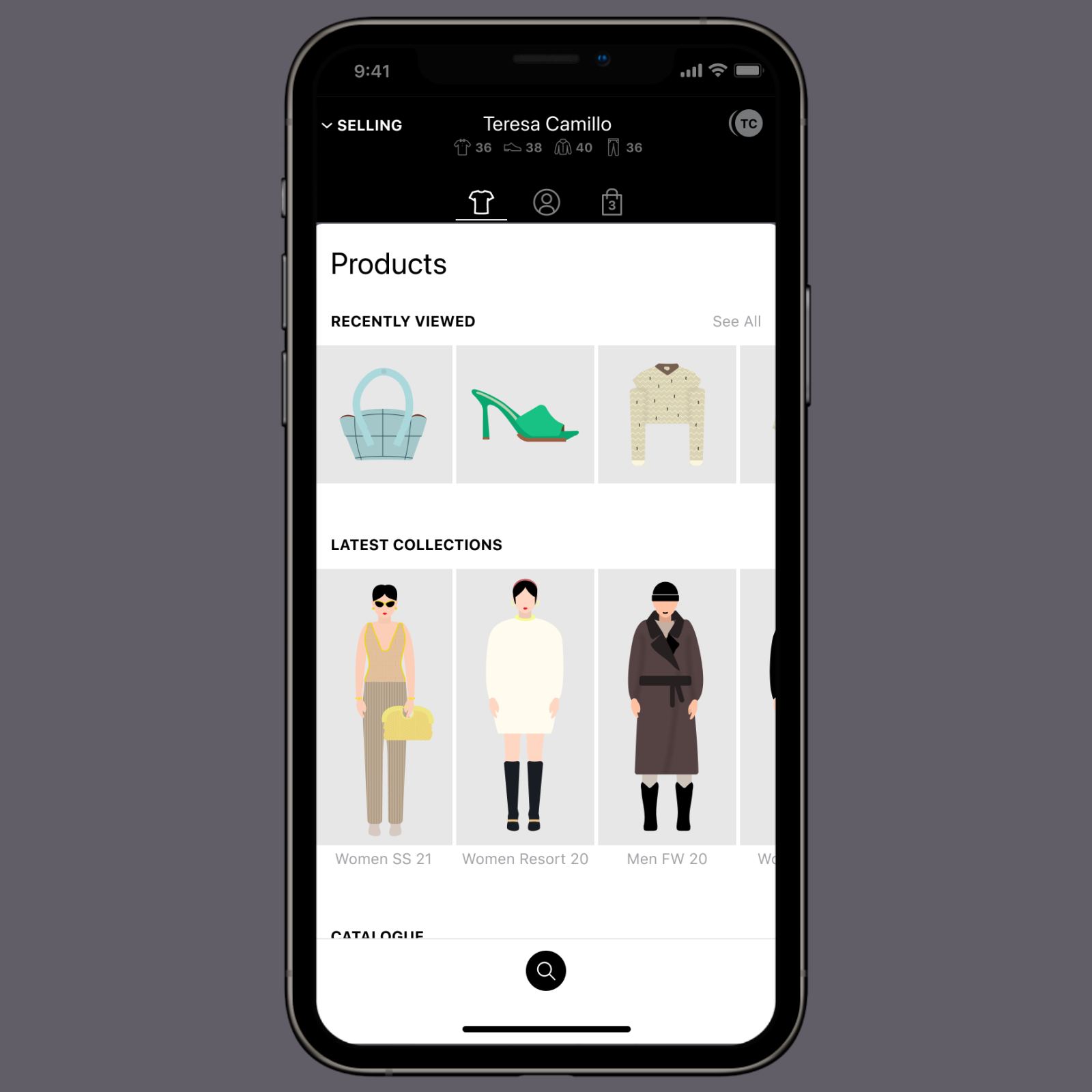
Bespoke product catalog
The catalog of products tailored to the client’s interests so sales associates can recommend items accordingly.
Client profile
The client profile helps sales associates provide a tailored experience.
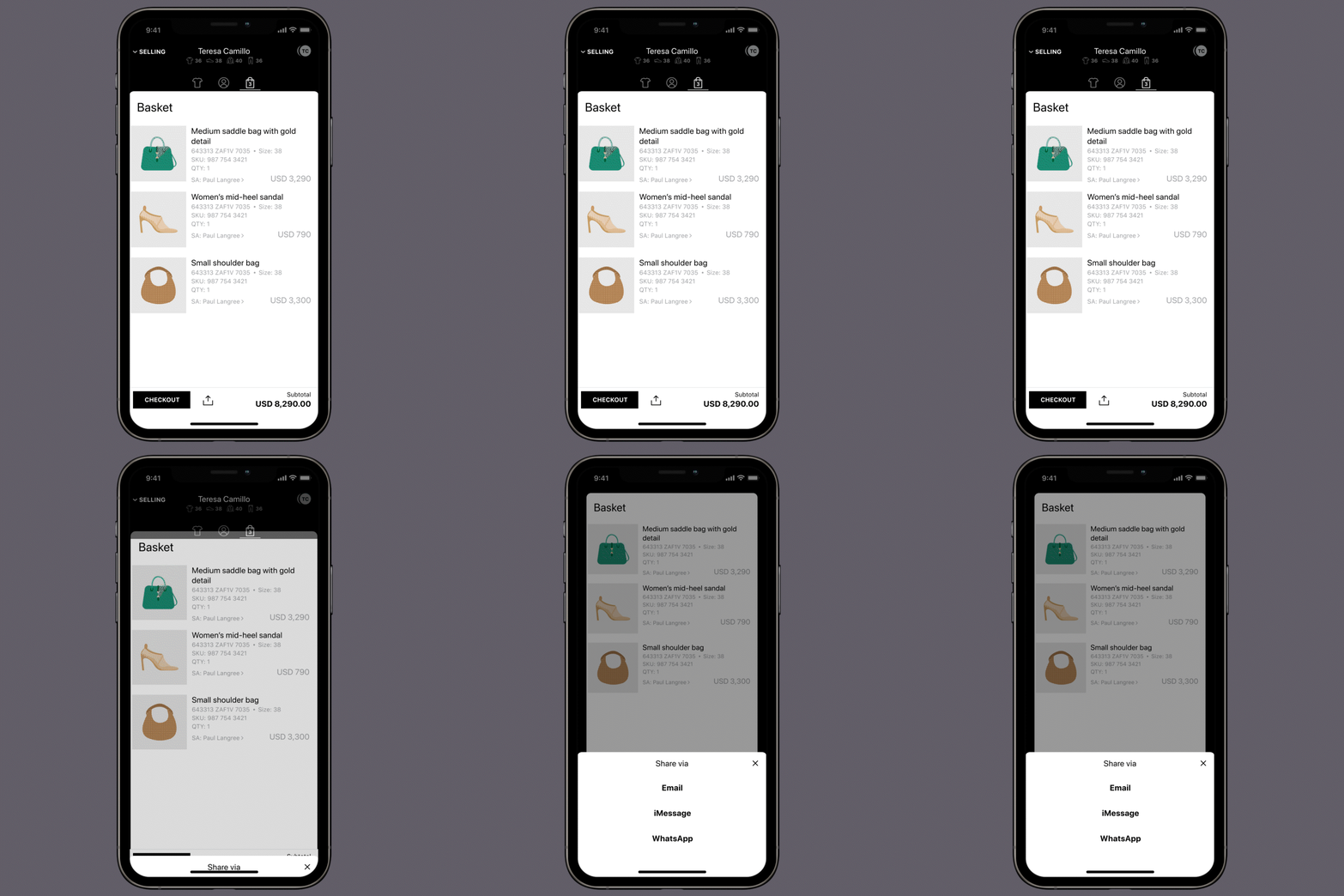
Checkout
Once a client has made their decision, the sales associate can checkout from their phone.
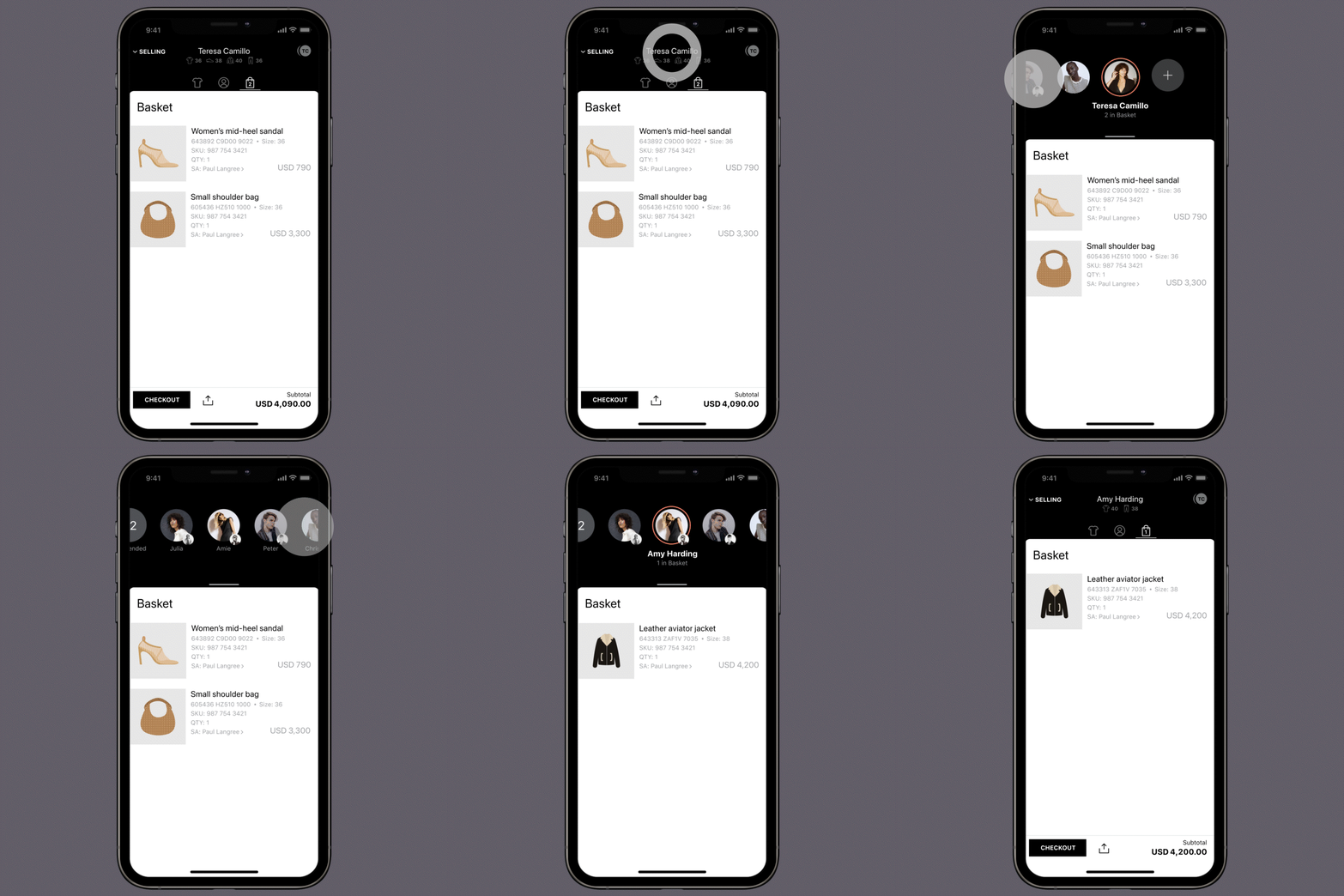
Helping multiple clients
If a sales associate is helping multiple clients, it is easy to navigate between the different clients that are currently in-store.
Remote selling mental model
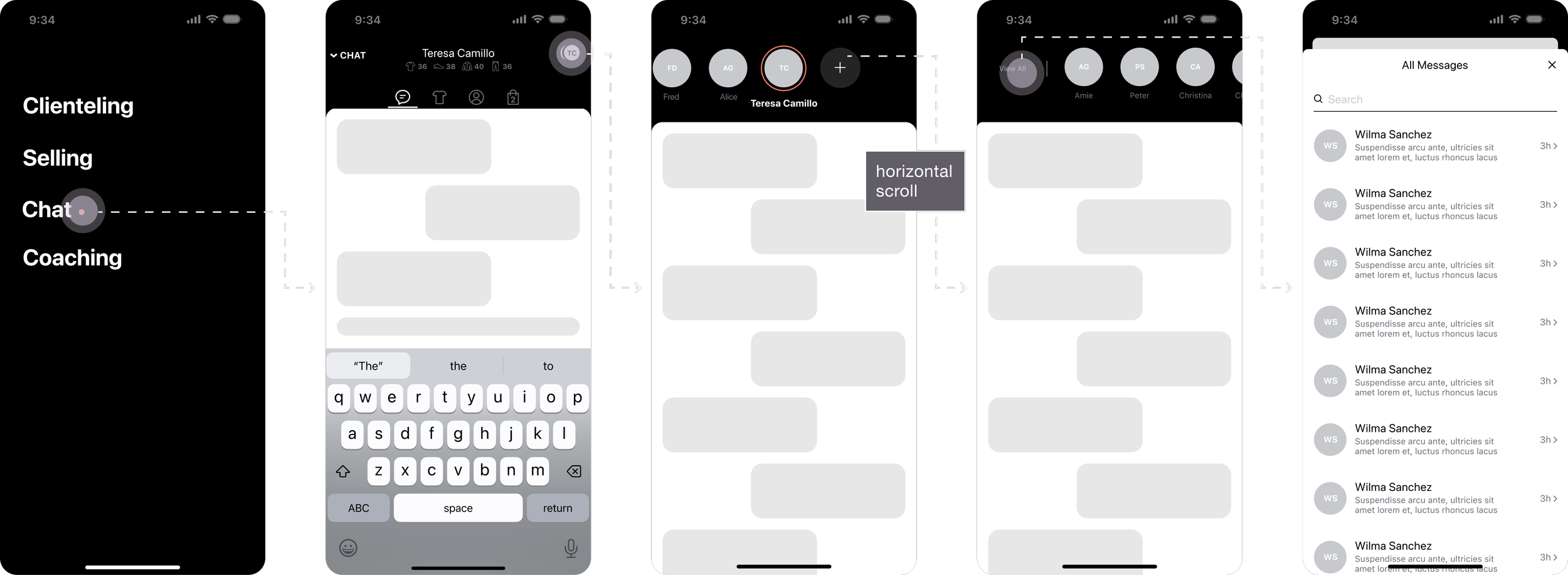
To ensure consistency, it was essential that the remote selling experience mirror in-store selling. However, as remote selling relies on messaging instead of personal interaction, it was called ‘Chat' and it was important to consider how messaging would impact the user’s mental model. With this in mind, I explored three navigation directions:
Navigation direction 01
The first direction mimics in-store selling where users to horizontally scroll between clients. To view all clients, users can tap 'view all' and see a list.
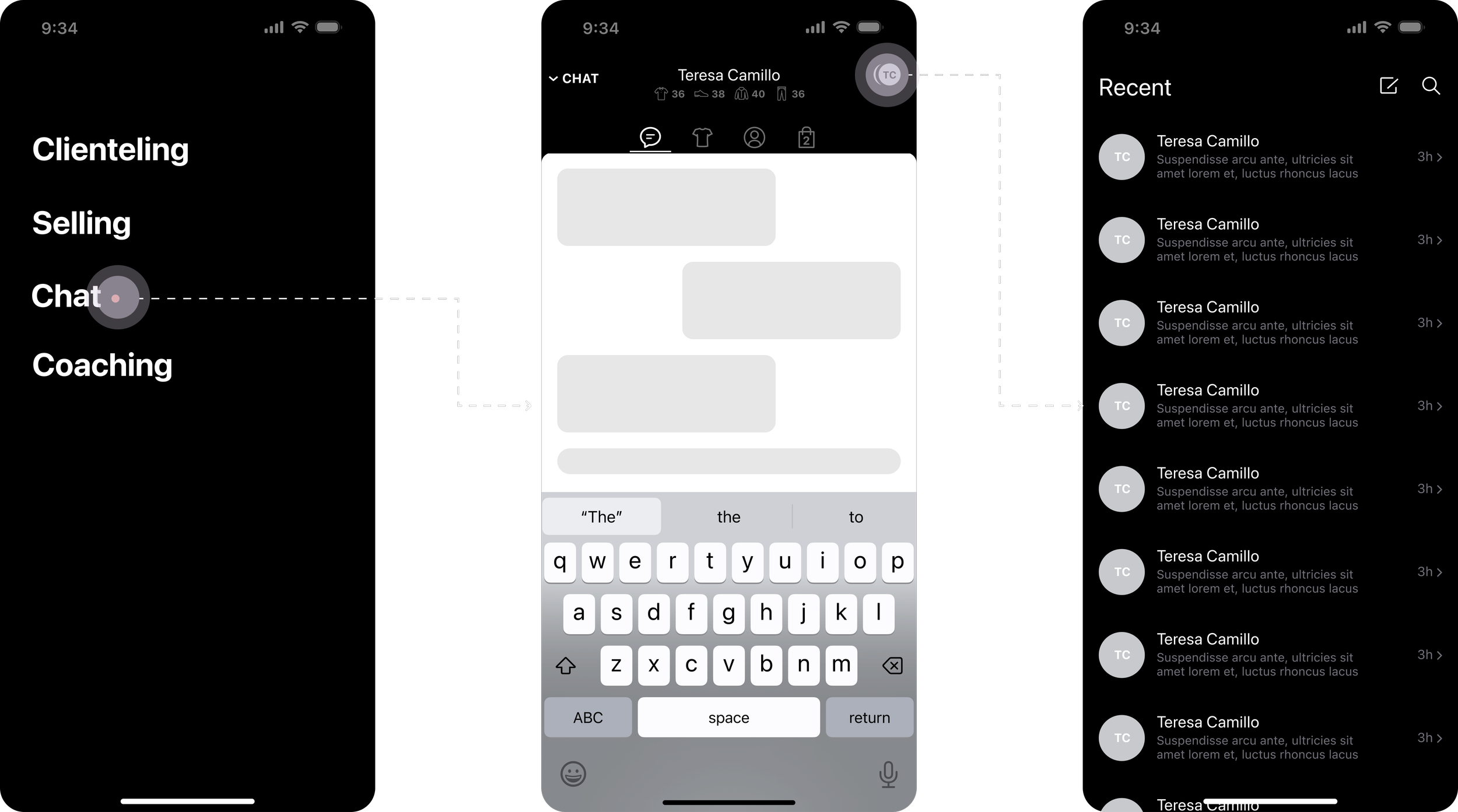
Navigation direction 02
Unlike the first option, this option uses a list view to navigate between clients.
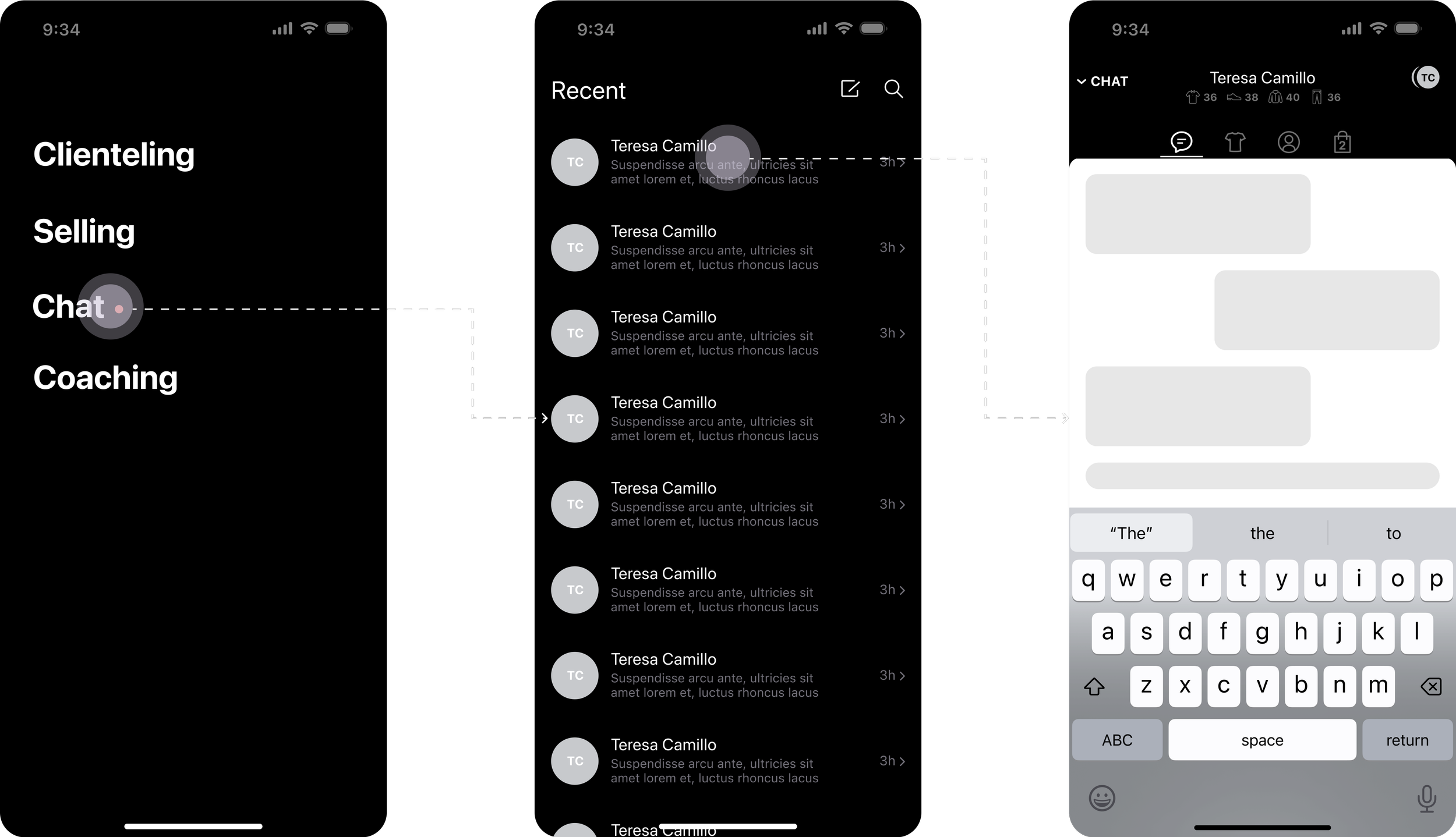
Navigation direction 03
We ended up going with this direction because, during remote sales, sales associates mainly interact with clients via chat. Therefore, following the typical chat patterns used in this direction would be most intuitive.
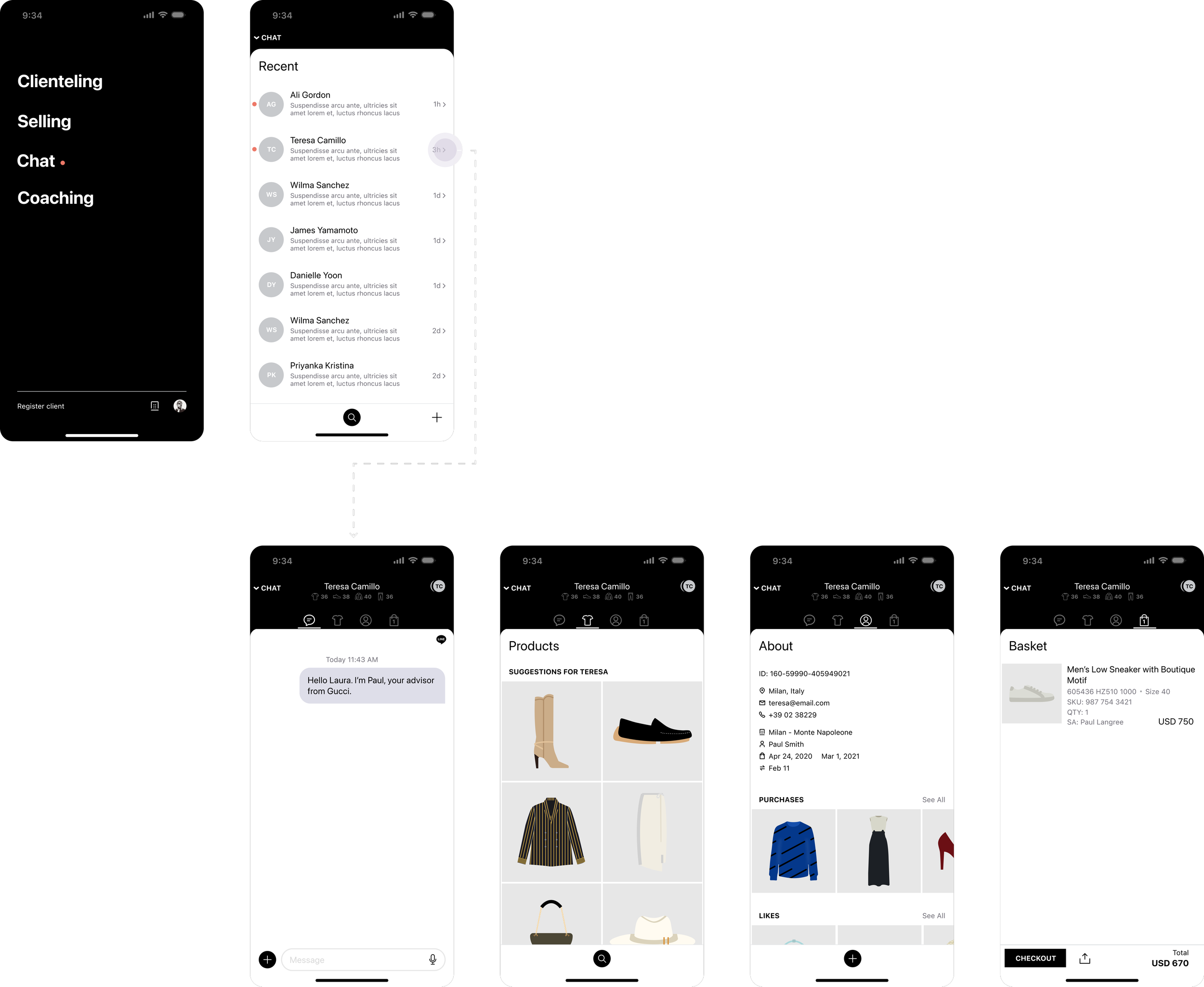
Final navigation
In addition to chat, the remote selling experience includes a bespoke product catalog, client profile, and basket.
Line integration
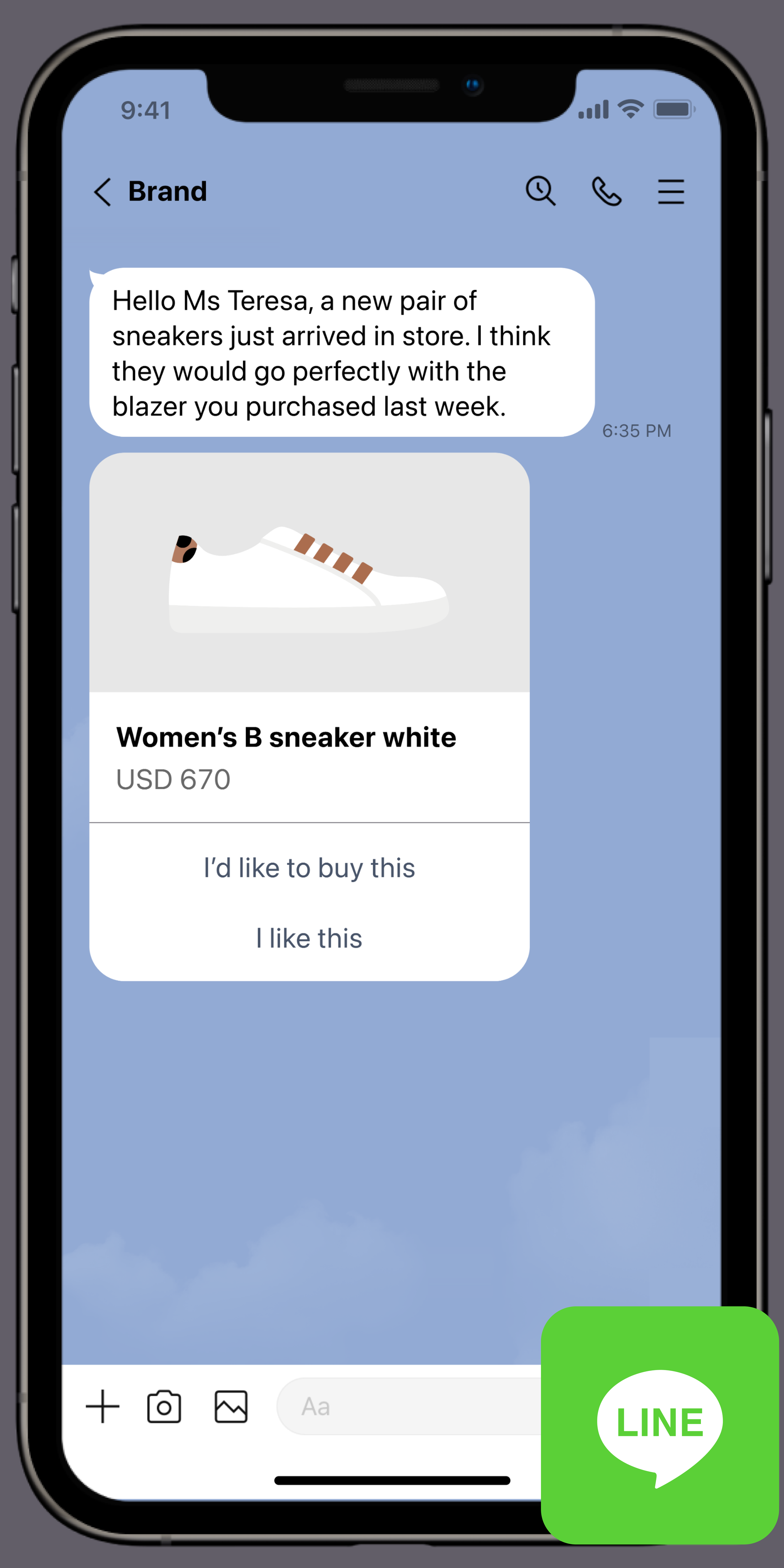
The most valuable aspect of remote selling is that it uses Sunshine Conversations to enable sales associates to message clients from LUCE Places and allows clients to receive that message in LINE.
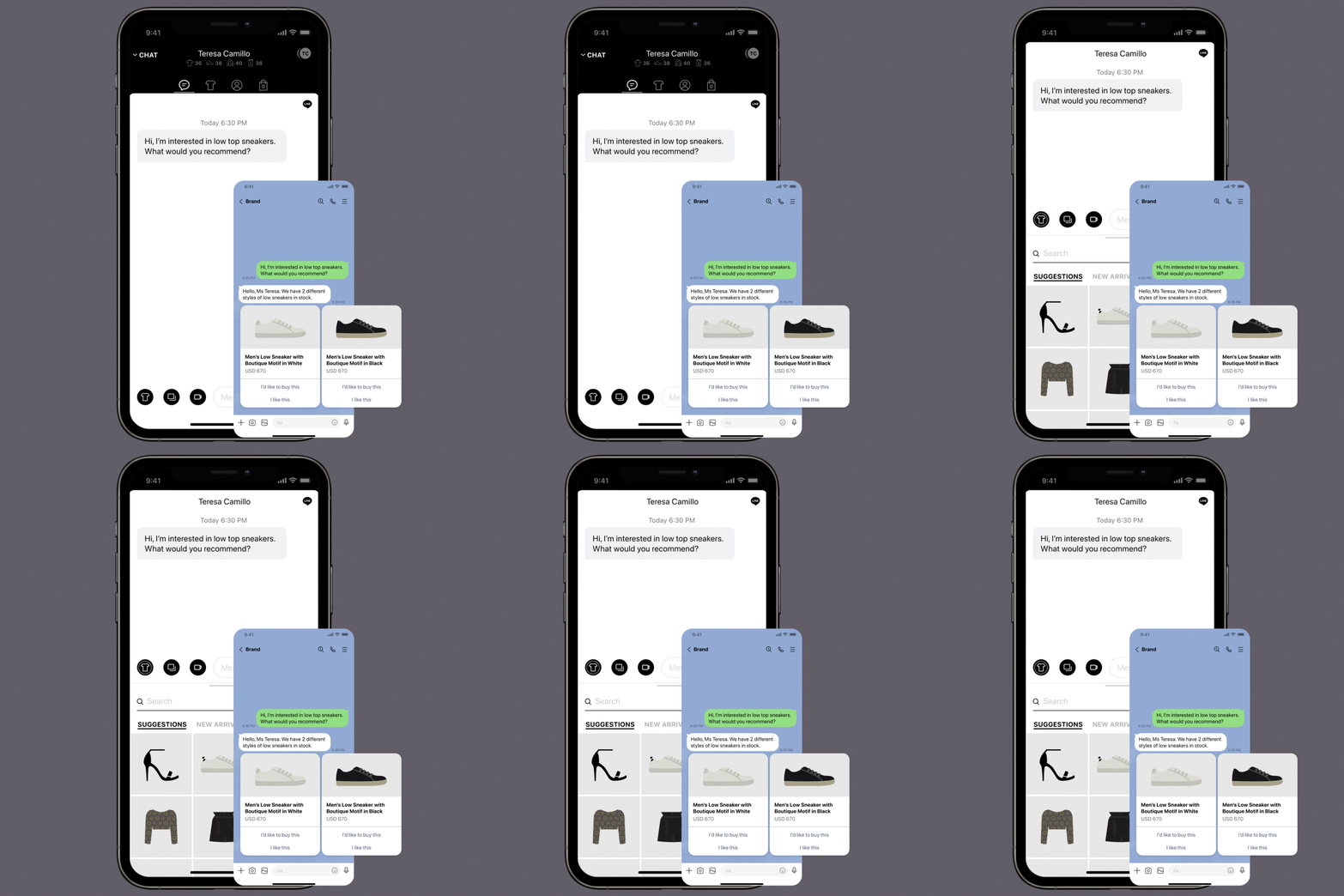
Product recommendation
Sales associates can share products through LUCE Places. Clients will receive those products in LINE as a carousel object with quick actions.
Add to basket
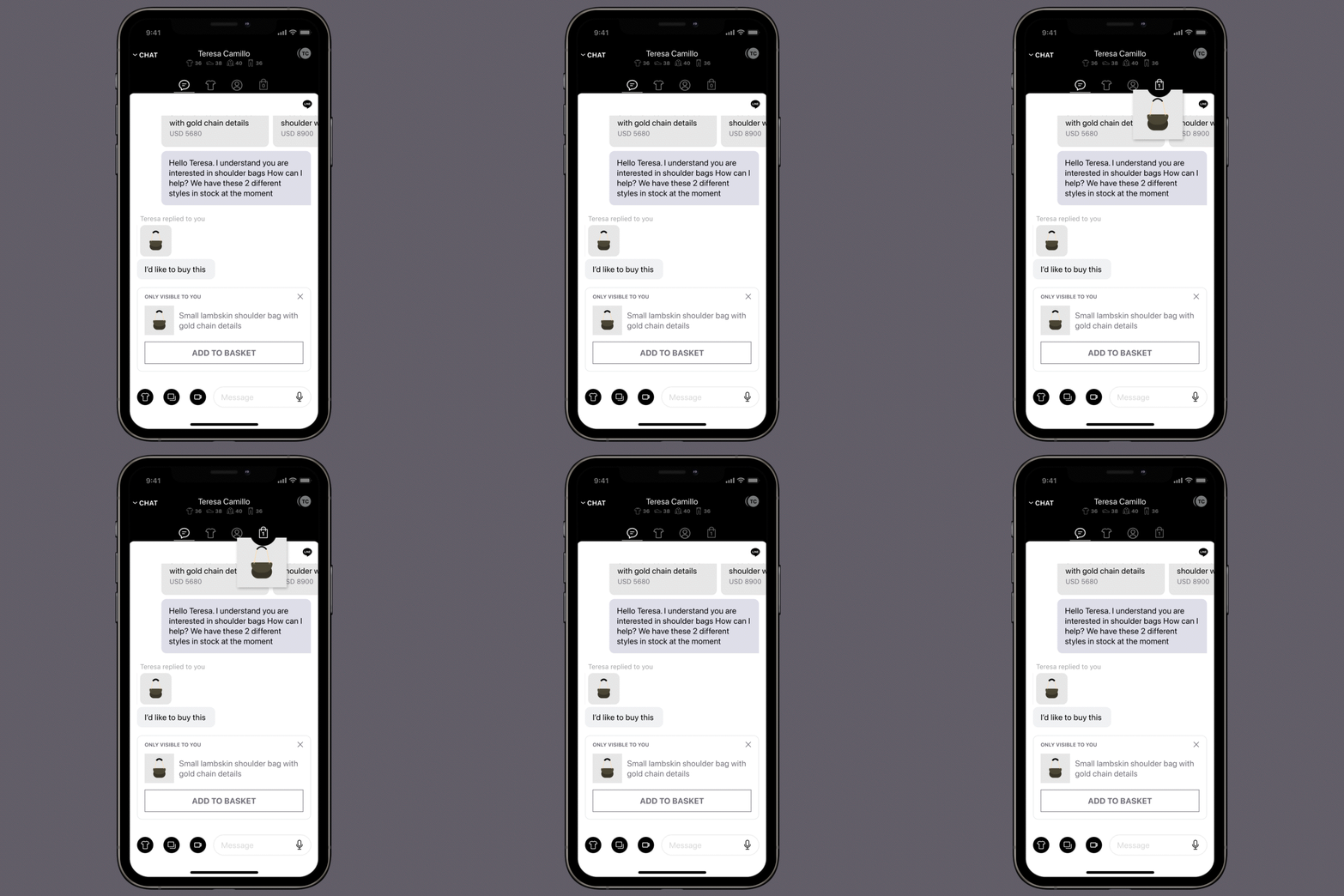
If a client asks to purchase a product through LINE, the sales associate will receive that message in LUCE Places.
Using the ‘Add to basket’ object, sales associates can efficiently add products to the client’s basket.
Checkout
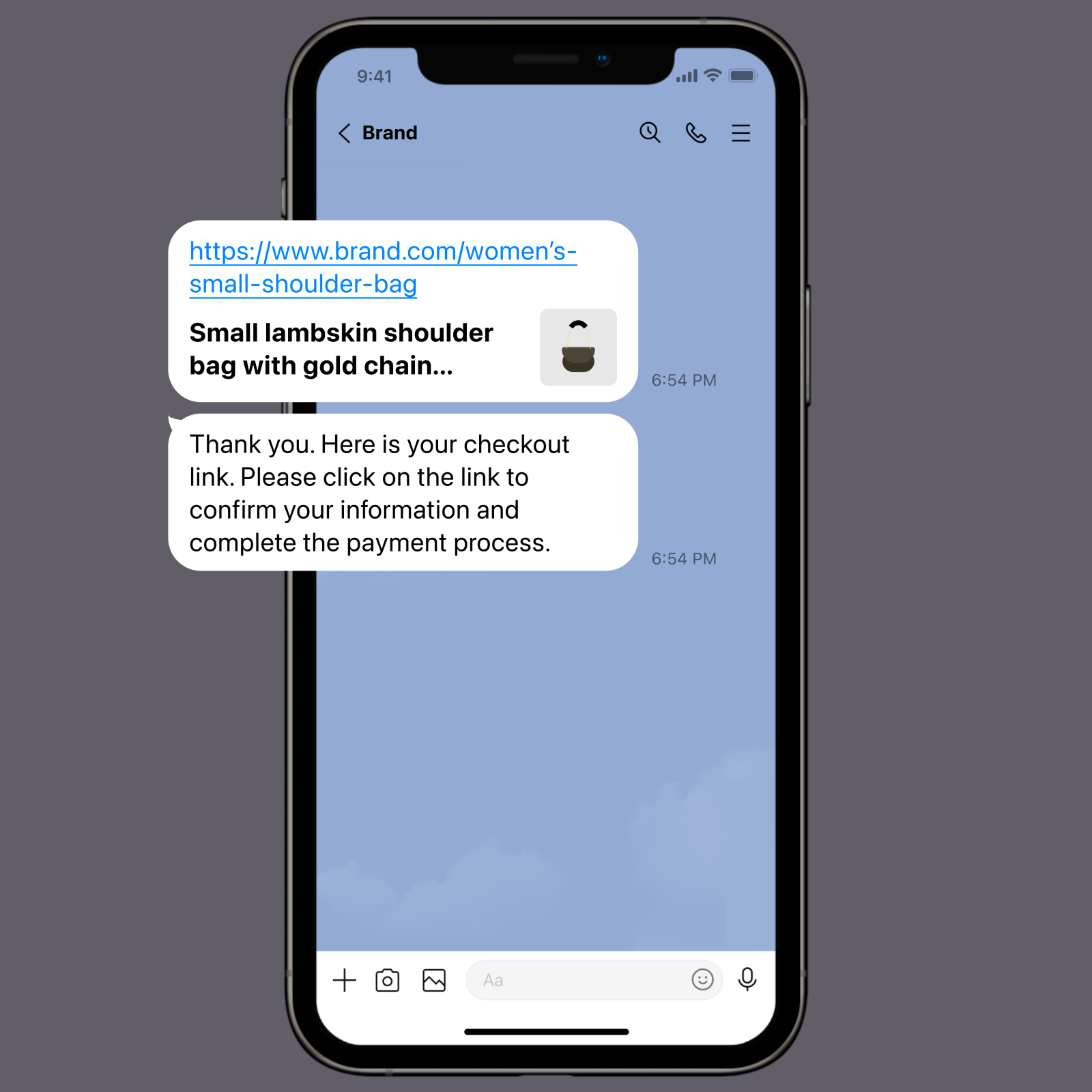
To checkout, the sales associate can share the basket with the client through LUCE Places. The client will receive that basket in LINE and checkout.
Solving original pain point
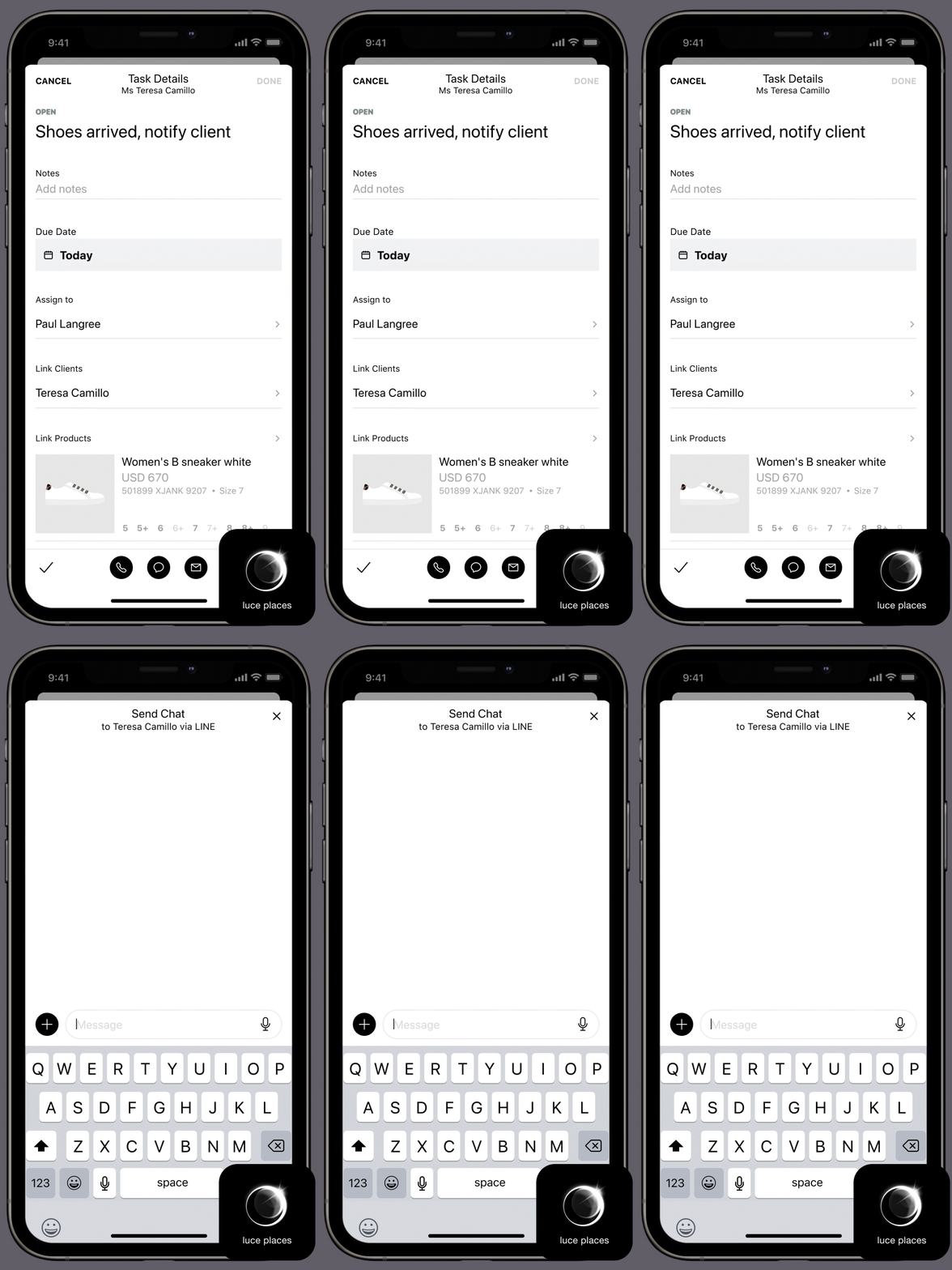
This solution not only offers sales associates a remote selling tool, but it also resolves the problem of landing on the wrong page.
With this integration, sales associates can tap ‘chat’ from the task detail page and message clients from their preferred channel without leaving the LUCE Places. The client will then receive that message within their preferred channel.
Results
I presented the final design for stakeholder buy-in, then refined the MVP with voice messaging, off-platform video chat, and in-store pickup. Post-launch, remote sales rose 50%, driven by workflows that enabled seamless product sharing, timely client insights, and tracked client reactions.
Explore more projects